Declaring the data you collect
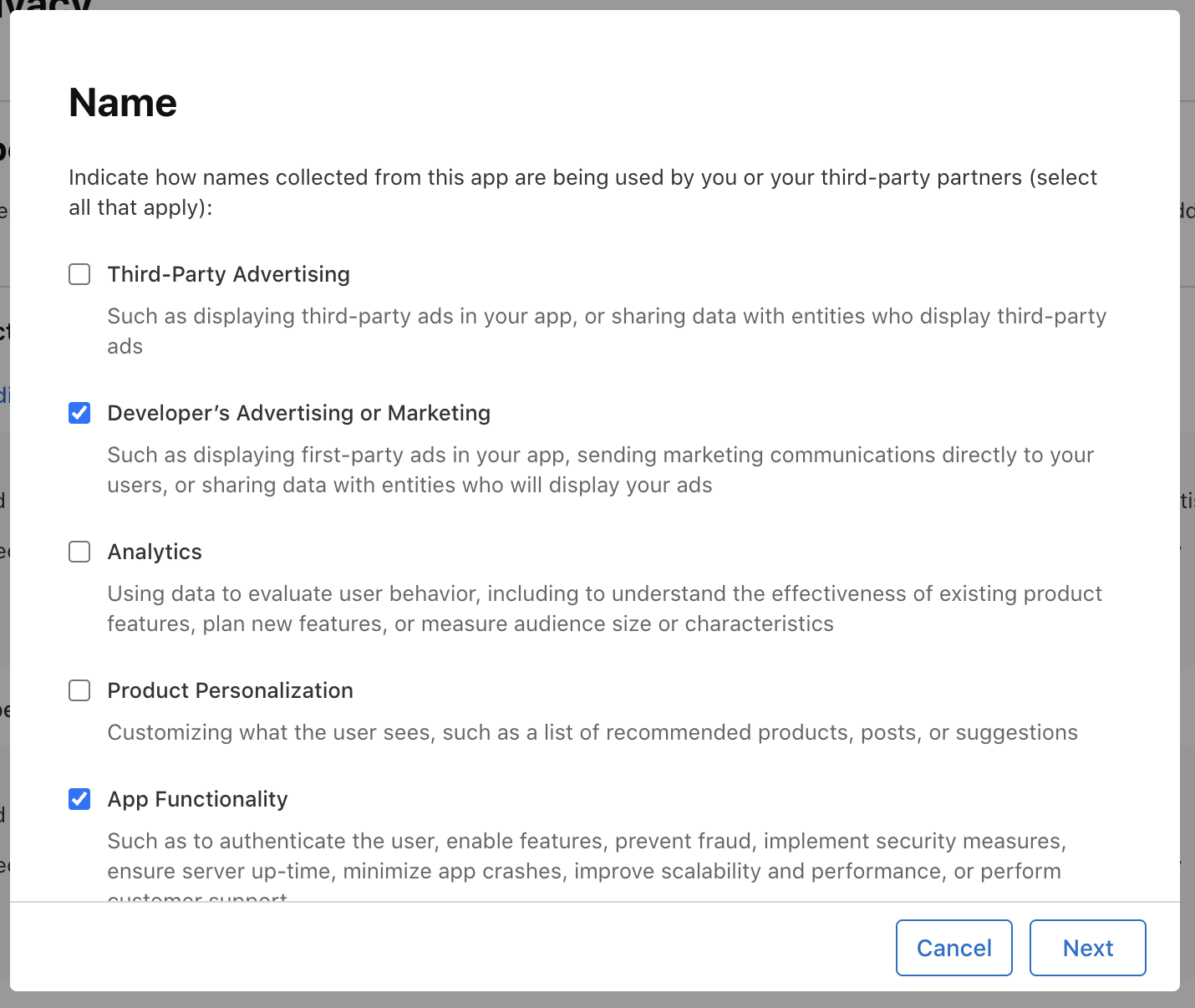
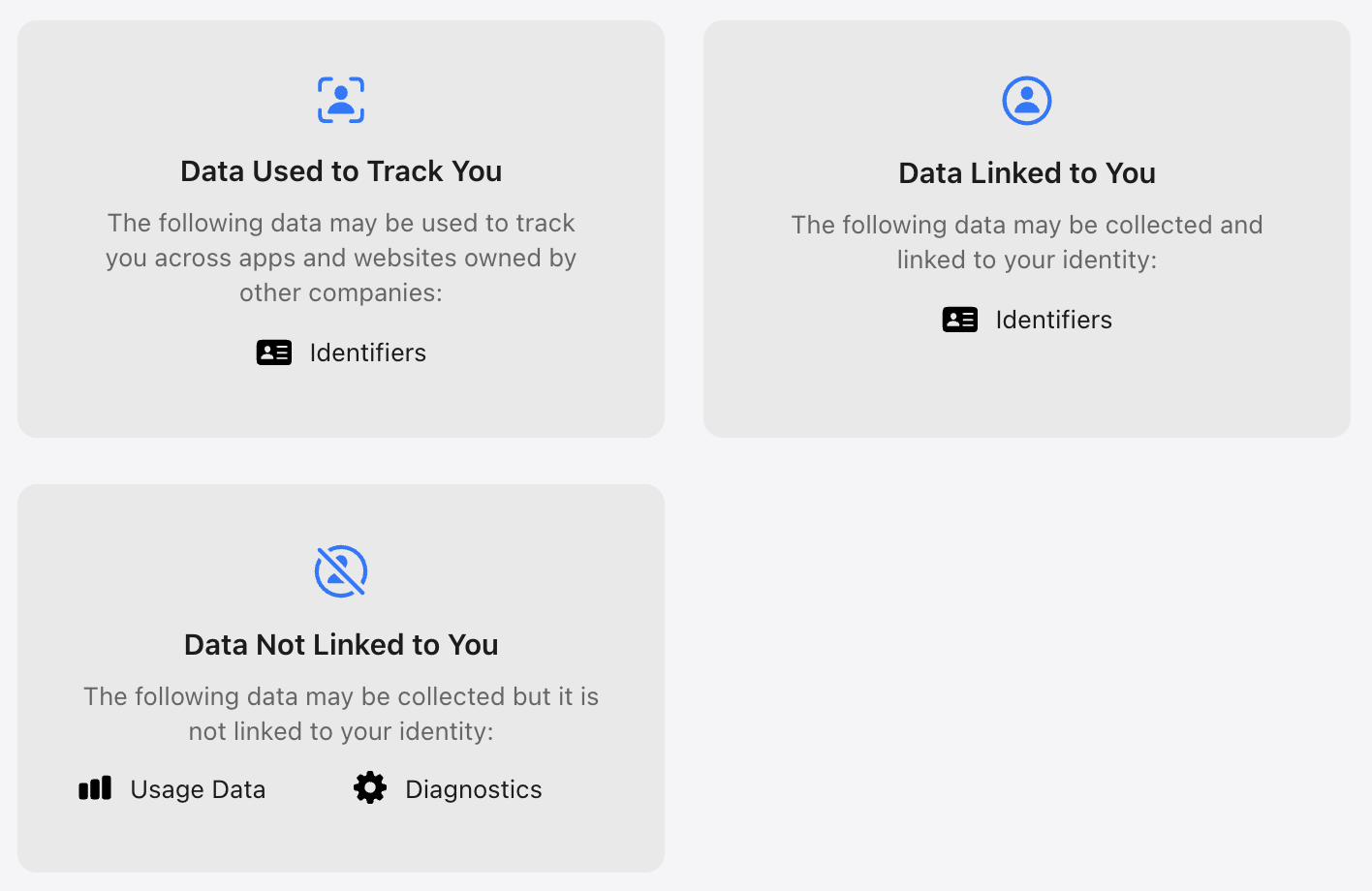
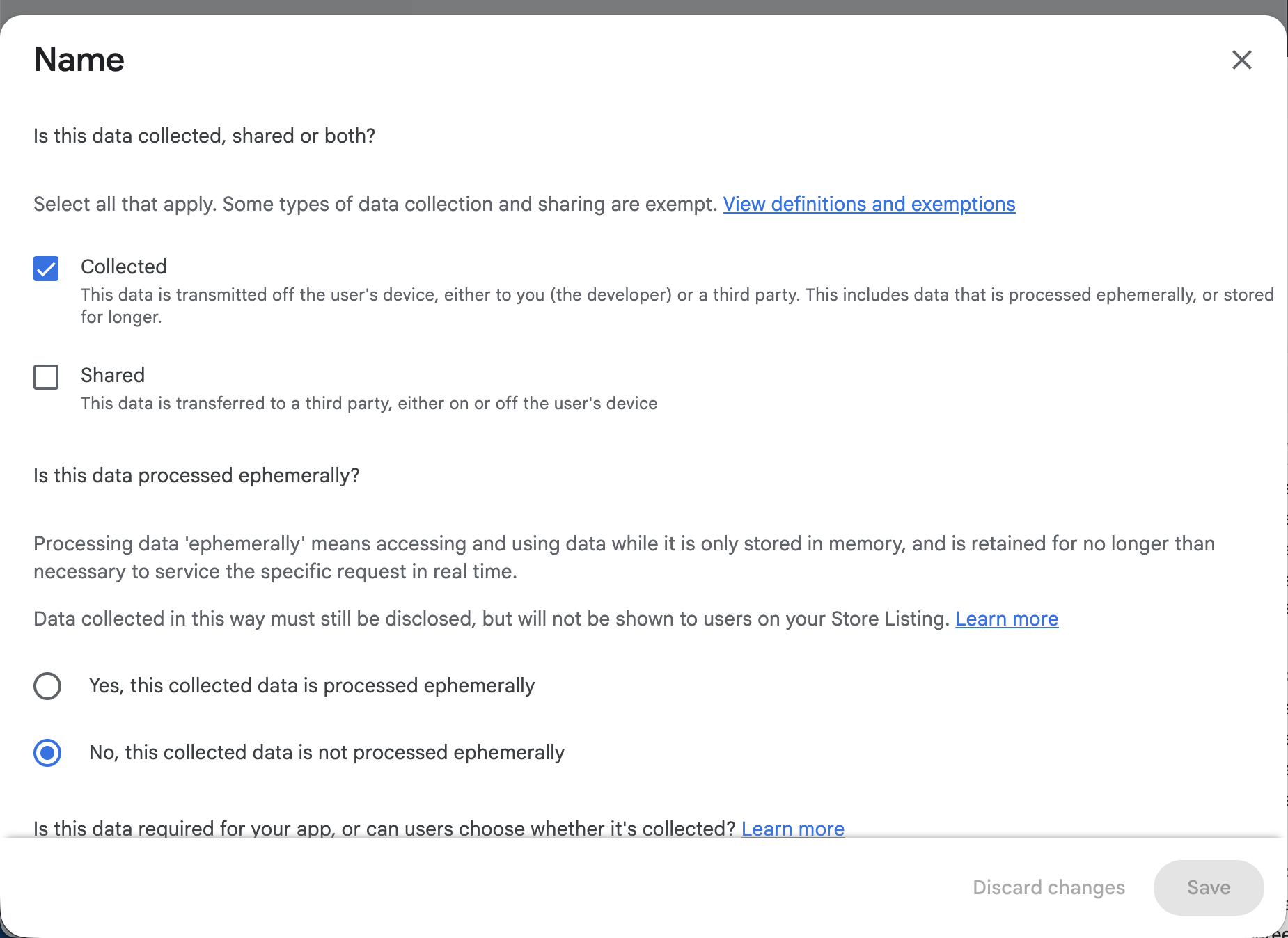
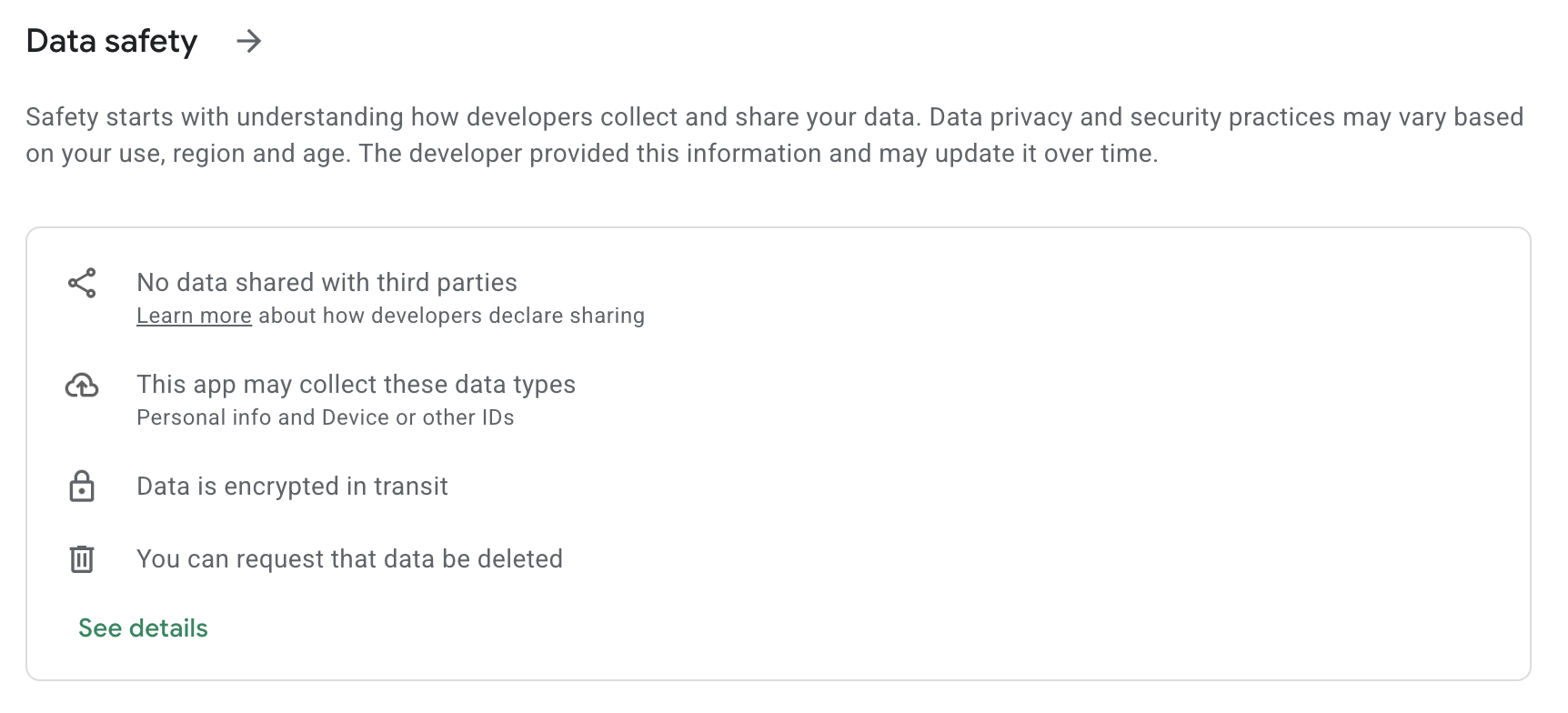
Publishing an app on either store requires filling out an extensive questionnaire about what data is collected and what it's used for. That's on top of the existing obligation to link to a privacy policy page. The goal is to make it relatively easy for users to understand what data of theirs is being collected, and why.
Apple calls this feature "Privacy Nutrition Labels," hinting that assessing the scope and nature of the user data an app uses should now be as easy as reading a food product's nutrition label.
On the App Store's publishing pages, it looks like this:
In the end, information along these lines is generated for the user:
For Google Play, these pages look like this:
Longer publishing wait times
A Techcrunch article citing analytics provider Appfigures reports that in Q1 2026, app release growth across both stores reached 60% year-over-year.
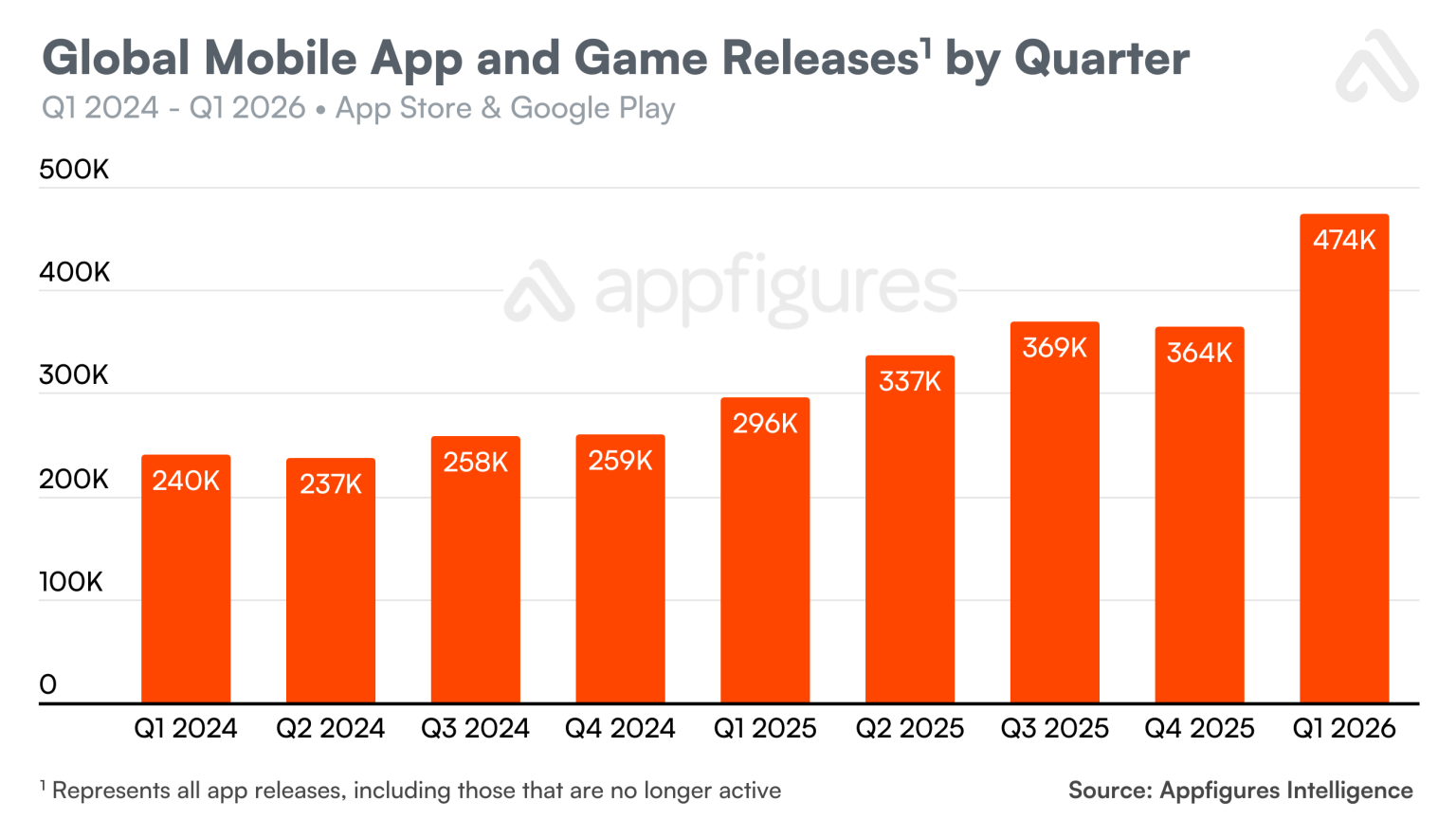
Impressive as the growth is, another article from Appfigures from late 2025 shows similar activity spikes already happened back in 2015-2016.
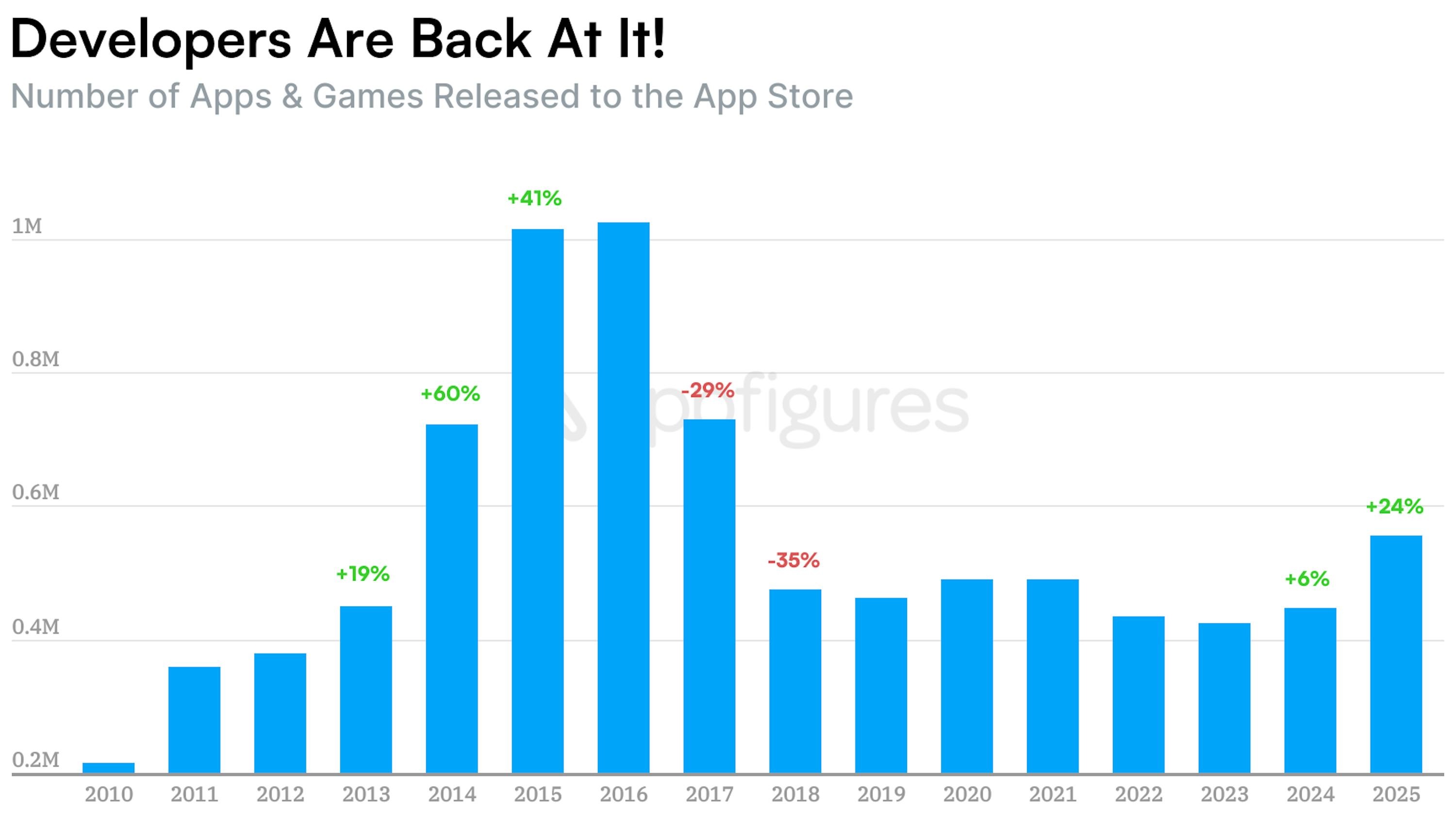
That said, if this trend continues, there's a real chance this decade-old record gets broken.
AI's influence on these numbers is probably significant in two ways:
- Many apps have appeared that use AI under the hood — apps that simply weren't feasible to build before;
- The technical side of mobile app development has sped up thanks to AI in coding, design, and other areas. In the same amount of time, it's now possible to build more apps.
Likely because of the growing number of new apps, review speed on both the App Store and Google Play appears to have dropped significantly. Neither store publishes these numbers openly in real time, but based on my own observations and numerous reports on relevant forums, review can take 10 days or more.
Even though Apple's website states that 90% of apps are reviewed in under 24 hours, it's worth budgeting 2 weeks for this process.
Google has changed things too. Since August 2023, they've required a D-U-N-S number to verify a business account. To be fair, Apple has had a similar D-U-N-S requirement since 2012. For registering as an individual, Google requires scans of ID documents confirming identity and address. Account verification takes about a week.
On top of that, if you have an individual account, since that same 2023 Google requires the app to go through a 14-day closed test with 20 testers. That number was later reduced to 12. So an individual needs to spend about 3 weeks just getting to the point of finally submitting the app to Google's store for review. Google explicitly states the goal of these changes is to reduce the number of low-quality apps.
Summing up the publishing timelines, here's a table with approximate durations:
| App Store | Google Play | |
|---|---|---|
| For businesses: obtaining a DUNS number | Takes 5‑30 business days in both stores | |
| For businesses: account verification | 1 week | 1 week |
| For individuals: account verification | 2-3 days | 3-5 days |
| For individuals: mandatory closed app testing | 0 (no such requirement) | 14 days |
| For individuals: review of the testing process questionnaire | 0 (no such requirement) | 2-7 Tage |
| Waiting for app review | 2-10 days | 2-10 days |
All told, a business should plan for roughly 4-6 weeks, with the possibility of stretching to 8-10 weeks. For an individual, since no DUNS number is needed, App Store publishing takes about 2 weeks, and Google Play about 4 weeks.
Requirements for the app itself
As always, the most common reasons for app rejection are crashes, mismatched screenshots, lack of originality, and so on — but the last decade has brought many new reasons on top of those.
Relatively new requirements from Apple:
- If the app offers login via any social network, "Sign in with Apple" must also be implemented;
- If the app uses cross-app tracking, the user must first give explicit consent;
- The ability to delete the account from within the app;
- For apps with user-generated content, users must be able to report content so the app's admin can block unacceptable content as quickly as possible;
- If user information or content is sent to a third-party AI service for processing, the app must first obtain the user's explicit consent for that. Simply mentioning it in the privacy policy isn't enough.
At Google:
- The ability to delete the account in two ways: through the mobile app itself, and via a web page.
Detailed instructions
This is a recent addition from Apple over the last few months. Even for a relatively simple app, reviewers have started requiring a video walkthrough demonstrating the app's core features. They also ask you to answer a set of questions that were already covered during the publishing prep process. This measure was likely introduced to reduce reviewer workload — pushing developers to double-check their app on critical points themselves.
Going forward, answers to these questions should be submitted with every build:
-
A screen recording captured on a physical device, running the latest operating system, demonstrating the app's functionality. The recording must begin with launching the app and show the typical user flow through its core features. If the app has any of the following, include them in the recording:
- Account registration, login, and account deletion flows
- Accessing paid content or features within the app, including any purchase or subscription flows
- User-generated content, including content reporting and blocking mechanisms
- Any prompts requesting access to sensitive data or device capabilities (for example, location, contacts, camera, or App Tracking Transparency)
- A list of the device models and operating systems the app was tested on before submitting for review
- A description of the app's functions and target audience, including the problem it solves and the value it provides
- Instructions for setting up and accessing the app's main features, including any required login credentials or sample files
- A list of the external services, tools, or platforms the app uses to deliver its core functionality (for example, data providers, authentication services, payment processors, or AI services)
- Describe any regional differences in the app's features or content, or confirm that the app functions consistently across all regions
- If the app operates in a highly regulated industry or includes protected third-party material, provide any relevant documentation or credentials to demonstrate you are authorized to provide these services or protected material
Include this information in the Notes field of the App Review Information section in App Store Connect for future submissions.
Conclusion
App publishing used to be a minor task relative to the overall project. Today, you need to set aside a significant amount of time for it and give the client advance notice about the timeline. It's encouraging that more and more attention is being paid to protecting user data and content safety. I expect this trend to continue. In that sense, the still-young field of mobile development has actually overtaken the web space — and some of these practices may well make their way into web development later on.